64% of diners Google a restaurant before visiting, according to TouchBistro's 2024 American Diner Trends Report. And 88% of people who do a local search on their phone visit or call within 24 hours. The time between "I'm hungry" and "I'm ordering" is shockingly short, and many restaurant owners miss opportunities to connect with nearby diners before they ever get a chance to serve them.
Local SEO (search engine optimization) for restaurants is how you fix that. This guide walks you through every step, from the free things you can do today to the slightly more technical moves that pay off over time, and explains how it all fits with your existing business.
What Is Local SEO for Restaurants (And Why It Determines Whether You Fill Tables)
Strip away the technical jargon, and local SEO is pretty simple: it's making sure your restaurant shows up when someone nearby searches for food on a search engine. The person three blocks away who's deciding where to eat tonight is the one you want to get the attention of.
You don't need a tech background to do this well. What you need is a clear picture of how Google thinks, a bit of consistency, and a willingness to update information like your hours when you close early for a holiday.
The Google Local Pack: Where Most Clicks Go
If you pull up Google right now and search "Italian restaurant near me", before you see any websites, you'll see a map with three restaurant pins and a list underneath. That's the Local Pack, and it’s where a majority of the clicks go.
The top five search results capture roughly 67–70% of all clicks. The Local Pack specifically gets 44% of clicks in local searches, compared to just 29% for the regular results below it. 42% of all local searches result in someone clicking on the Local 3-Pack — the three restaurant listings that appear inside the map at the top of Google results.
Three spots. That's it. Being outside those top three positions means significantly fewer customers will find you.
How Local SEO and Marketplace Work Together
Here's a question worth answering up front: if you're already on DoorDash Marketplace, do you actually need to think about local SEO?
Yes, but not because they compete. They don't. They catch different customers at different moments.
Marketplace reaches people who open the DoorDash app looking for something to order. Local SEO reaches people who open Google looking for a specific type of food in their neighborhood. Different intent, different channel, both ending with an order. You want to win both.
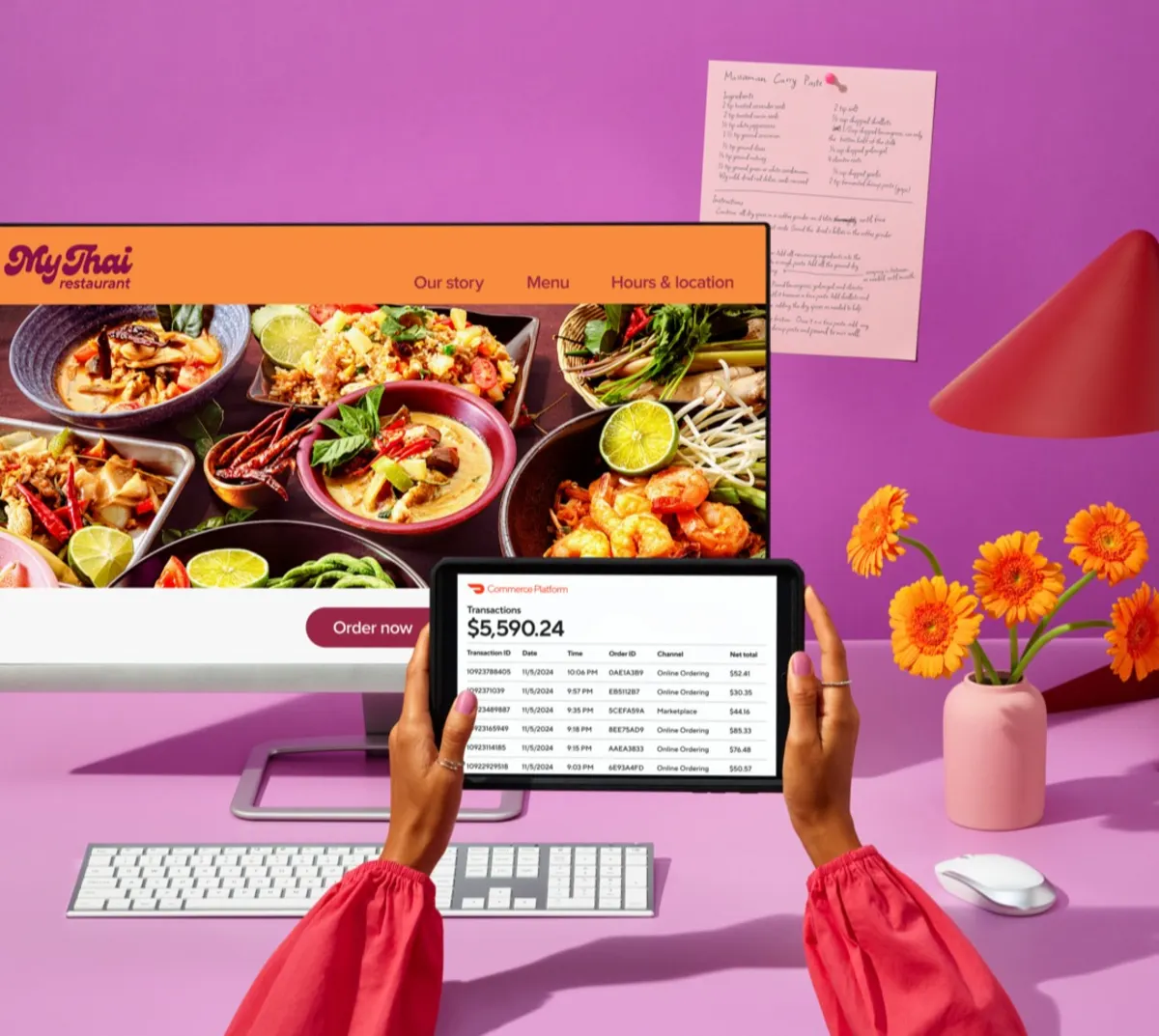
There's also a longer game here. Someone orders from you on Marketplace, loves the food, and a week later Googles your restaurant name to order again. If your Google Business Profile is set up right, they find your website and order directly. With DoorDash Commerce Platform you can launch a branded website that's already set up for Local SEO, has online ordering built in, and adds your online ordering link right to your Google Business Profile. Marketplace gets you discovered. Local SEO brings customers back on your own terms.
Claim and Optimize Your Google Business Profile (The Foundation)
If you do nothing else after reading this article, do this: claim and fill out your Google Business Profile.
It's free. It takes a couple of hours. And it has more impact on your local search rankings than almost anything else. Your Google Business Profile (GBP) is that box on the right side of Google showing your restaurant's photos, hours, reviews, and phone number– the thing people look at when they're 30 seconds away from deciding whether to call you or move on. If you haven't claimed yours, Google might be showing wrong information, an old phone number, or nothing at all.
Here's something most restaurant owners don't realize: a lot of people never even click through to your website. They search, see your profile, and either call you or move on right there. That's called a zero-click search — the customer gets everything they need from your Google Business Profile (GBP) without visiting your site. If your profile is incomplete or outdated, you lose that customer before they ever reach you.
Start here. Everything else builds on this.
How to Set Up Your Profile the Right Way
Head to business.google.com, find your listing, and claim it. Google will verify you're actually the owner, usually with an ask for a recorded video showing your business or a phone call.
Once you're in, fill out every field. All of them. The ones people skip are often the ones that matter.
Your business name should match exactly what's on your sign — think "Giovanni's Pizza," not "Best Pizza NYC Giovanni's." Stuffing extra keywords into your name can get you penalized by Google.
Your address and phone number need to be accurate and exactly consistent with every other site you're listed on. Your hours need to be current, including holidays. Nothing burns trust faster than a restaurant Google says is open when it isn't.
For category, pick "Restaurant" first, then get specific: "Mexican Restaurant," "Steakhouse," whatever fits. Your menu link and description are where you get to describe your food, your vibe, and your neighborhood in plain language. Write like a person, not a press release.
Google's own guide to boosting your restaurant's local ranking is worth reading once you've got the basics in place.
The Attributes and Categories That Actually Matter
Inside your GBP, there's a list of checkboxes that most merchants ignore: outdoor seating, takeout, delivery, reservations, wheelchair accessible, and more. These are not optional. They're how Google matches you to filtered searches.
When someone searches "restaurants with outdoor seating near me," Google checks those boxes. If yours aren't filled in, you don't show up– even if you have a beautiful patio.
Go through every attribute and check everything that applies. It takes five minutes and costs nothing.

Build a Local Keyword Strategy That Actually Brings In Customers
Keywords are the words and phrases people type into Google when they're searching for food — things like "tacos near me," "best brunch in Austin," or "family restaurant open Sunday." When your restaurant shows up for those searches, that's keywords working for you.
You don't need a spreadsheet with hundreds of local keywords. For a single-location restaurant, 10–15 well-chosen ones are enough.
The Keywords That Matter for Restaurants
There are three tiers to think about, and the strategy is to go after all three.
High-volume keywords like "Italian restaurant New York" or "brunch Chicago" have huge search numbers but enormous competition. You want to show up for these eventually– they're just harder to win early.
Long-tail keywords like "gluten-free brunch SoHo" or "late night tacos Wicker Park" have lower volume but much less competition, and the people typing them know exactly what they want. These are your best early wins, and they convert well because the intent is so specific.
Use-case keywords like "private dining room Midtown" or "romantic dinner Austin" have even fewer searches, but the people behind those searches are often ready to book right then. Don't sleep on these.
Start with the specific ones, build momentum, then go after the bigger terms as your online presence grows.
How to Find What People Actually Search For
Google Keyword Planner is free and extremely useful. Just log in with a Google account, type in your cuisine plus your neighborhood, and look at what real people are actually searching for. You'll often find that the specific version of a phrase has enough volume to be worth targeting, and almost no one is competing for it.
Two other tricks: pay attention to Google's autocomplete suggestions when you start typing (those are real searches happening all the time), and check your Google Business Profile Insights tab, which shows what terms people used to find your profile. That's essentially a list of keywords you're already ranking for.
Food trends matter too. "Smash burger," "birria tacos," and "omakase" all had moments where search volume exploded. Adding trending terms to your website content before competitors catch on can earn you rankings that stick.
Build a Consistent Review Strategy
Reviews do two things simultaneously: they help Google decide how prominently to show you, and they help potential customers decide whether to trust you. Both are critical.
A restaurant with 200 reviews and a 4.4 rating will usually outrank one with 12 reviews and a 4.8– in Google's algorithm and in how many people actually click. Volume and consistency signal a real, active business. Twelve reviews, no matter how glowing, signal that almost nobody bothered.
How to Get More Google Reviews
If you want to boost your restaurant’s Google reviews, focus on making the request timely, easy, and consistent. The best time to ask is right after a great experience, while the customer is still at the table or just leaving.
Make it as frictionless as possible. Put a QR code on your receipt that links directly to your Google review page. Have your team mention it naturally, not like they're reading from a script: "If you had a great time tonight, a Google review means a lot to us." Tools like Guest Experience Management can automate review requests entirely, reaching customers at the right moment without anyone on your team having to remember.
One thing worth internalizing: steady review volume beats a burst of many reviews. Five reviews a month, every month, looks far more credible to Google than 50 reviews in January and silence for the rest of the year.
Why Responding to Every Review Improves Rankings
Google has confirmed that responding to reviews is a positive ranking signal. It shows you're an active, attentive business, which is exactly what Google wants to recommend to searchers.
The formula isn't complicated. For positive reviews: thank the person and acknowledge something specific they mentioned. For negative reviews: own what went wrong, apologize genuinely if it's warranted, and invite them to follow up offline. Don't be defensive. Everyone reading your response is a potential customer, making up their mind about you.
Responding also gives you a natural way to mention your location: "We hope to see you back at [Restaurant Name] in [neighborhood] soon" which is one more location-relevant signal for search engines to register.
Make Sure Your NAP Is Consistent Everywhere
NAP stands for Name, Address, and Phone number. It's the most basic information about your restaurant, and it needs to be identical across every site it appears on. Not similar. Identical.
Google cross-checks your information across the internet. If your phone number is formatted differently on Yelp than on your Google Business Profile, or your address says "Ave" in one place and "Avenue" in another, Google treats those as conflicts, and conflicting signals make it less confident in your listing. Lower confidence means lower local search rankings.
This applies to: Google Business Profile, Yelp, TripAdvisor, Facebook, Instagram, OpenTable, Apple Maps, and Bing, at a minimum.
Set a reminder to check all of these every few months. Listings get outdated, phone numbers change, and no platform sends you a notification when something falls out of sync.
Optimize Your Website for Local Search Intent
Your restaurant's website is a must. It gives Google significantly more information than your Business Profile can, and it gives customers a place to see your full menu, get directions, and ideally place an order without going anywhere else.
You don't need anything fancy. You need something fast, readable on a phone, and honest about where you are. A strong customer experience for restaurants starts before a guest walks through the door. Fast load times, accurate information, clear menus, and easy ordering all shape how customers perceive your restaurant from the first search.
The Local SEO Elements Every Restaurant Website Needs
Put your name, address, and phone number in the footer of every page, in actual text– not an image, because search engines can't read images. And it has to match your Google profile exactly.
Your menu page matters more than most restaurant owners realize. A PDF or a photo of a menu looks fine to humans but is essentially invisible to Google. Real text, including actual dish names and descriptions, is what gets indexed and helps you rank for searches like "gluten-free options [your city]" or "late night ramen [your neighborhood]."
Load time and mobile design aren't optional considerations anymore. If your site takes more than three seconds to load on a phone, most people leave before they see anything. Google knows this and factors it into rankings.
Mention your location naturally in your copy. Something like "we're on the corner of X and Y in [neighborhood], two blocks from [landmark]" does two things: it tells Google where you are, and it tells a first-time customer how to find you.
Write meta descriptions for your key pages. A meta description is that short line of text you see under a link in Google search results. It doesn't affect rankings directly, but it's what convinces someone to click. Your homepage and menu page should both have one.
Add Direct Ordering to Keep Customers on Your Site
Every minute someone spends on your website is a small signal to Google that your site is worth visiting. Direct ordering keeps them there longer. It also means you keep more of what you earn and build direct relationships with your customers.
The strategy is simple: Marketplace brings in new customers, your website gives them another way to order from you. DoorDash Commerce Platform's Online Ordering puts ordering directly on your site, running on the same technology behind DoorDash Marketplace. Restaurants that add Online Ordering see sales increase by up to 8% of their current Marketplace sales.*
*Based on internal DoorDash data from January 2025 through May 2025.
Publish Regular Content to Google Business Profile
Most restaurants don't know that Google lets you post updates directly to your Business Profile (a photo, a caption, a link) that show up when customers find your listing.
This is good news if you're reading this right now.
Google treats a profile that posts regularly as a signal of an active business. Businesses that look active get surfaced more in local search results. All you need is one post a week: a new menu item, a seasonal special, a holiday hours update, a photo from last night's dinner rush.
The easiest version of this is to copy whatever you already posted on social media. You already did the work… the photo, the caption… just paste it into your GBP too. Those two extra minutes work miracles over time.
Build Local Citations Across High-Authority Platforms
Every time your restaurant's name, address, and phone number appear on a reputable website, that's a citation. Citations are how Google confirms you're a real business in a real location. The more consistent ones you have from trusted sources, the more confident Google feels recommending you.
The platforms that matter the most:
Local food blogs, neighborhood guides, and tourism sites help too. But focus on the top 10–15 most trusted ones first and make sure your NAP is identical on every single one. Chasing 100 random local directories is not worth your time.
Add Schema Markup to Your Website
Schema markup is the one item on this list that sounds intimidating but really isn't. It's a small piece of code you add to your website that gives search engines a structured summary of your business, including your name, address, phone number, hours, cuisine type, pricing, and menu, instead of making Google try to figure all of that out by reading your website like a human would.
Most restaurants skip schema entirely. That's what makes it an opportunity.
When Google can read your information cleanly through schema markup, it's far more likely to display your hours, star rating, or menu items directly in search results before someone even clicks through. That means your restaurant shows up at the top of search rankings with more information than your competitors, which tends to mean more clicks.
The restaurant-relevant types are: Restaurant/LocalBusiness markup, Menu markup, Opening Hours, and Review ratings. Most modern website platforms have built-in tools for this, and any web developer can add it in an hour if yours doesn't.
Track and Measure What Actually Drives Orders
All of this effort should eventually show up somewhere measurable. If you're not tracking anything, you're flying blind: you won't know what's working, what to do more of, or if something breaks.
The good news is you don't need a full analytics team. You need to check about six numbers once a month.
The Only Local SEO Metrics That Matter for Restaurants
Google Business Profile views and clicks — How many people are seeing your listing, and how many are clicking through? Find this under "Performance" in your GBP dashboard.
Local Pack position — Open an incognito browser (so your personal history doesn't skew results) and search "[your food type] restaurant [your neighborhood]." Are you in the top three? Track this monthly.
Website traffic from organic search — Google Analytics breaks down where your website traffic comes from. You want to see organic search growing over time.
Phone calls and direction requests from GBP — These show up in your Insights tab and are some of the highest-intent actions a potential customer can take. Someone asking for directions is probably coming in.
Review velocity and rating — How many new reviews did you get this month? Is your overall rating trending up or holding steady?
Direct online orders — If you have Online Ordering, track monthly order volume and watch the trend.
Use Google Search Console to see which specific searches are bringing people to your site, Google Business Profile Insights for profile activity, and Google Analytics for website behavior. All three are free, and a monthly 20-minute check is enough to stay on top of things.

Common Local SEO Mistakes Restaurants Make
Claiming your GBP and then abandoning it. Claiming the listing is step one, not the finish line. A Google Business Profile with missing fields, no photos, and hours that haven't been updated since last year sends the wrong signal—it suggests a business that isn't paying attention. Fill out everything, add fresh high-quality photos monthly, and post something weekly.
Different information on different sites. It sounds minor until you understand that Google is checking all of these against each other. A phone number formatted one way on Yelp and another way on TripAdvisor, an old address still live on Apple Maps, mismatched hours on Facebook — these inconsistencies affect Google's perception of the accuracy of your listing. Do a sweep of all your local directories every few months.
Only responding to negative reviews. Or worse, not responding to any reviews at all. Responding to every review (the glowing ones AND the painful ones) tells Google you're an active, engaged business.It also tells every person reading your profile the same thing. Aim to respond within three days, and pair that habit with a consistent strategy to get more restaurant reviews from satisfied customers.
Turn Local Search Visibility Into Repeat Revenue
You're showing up when people nearby search for restaurants. Now turn those searchers into customers you actually own.
Bringing new customers in the door is only half the job. The other half is making sure that when someone finds you through Google, they have a fast, easy way to order, and that you keep their information so you can bring them back.
If you want a website that's built to rank well in local search, convert visitors into orders, and build your email list automatically, DoorDash Commerce Platform is designed for exactly that.
"The branded website is great — when people search for my restaurant or look for reviews, my site shows up at the top."
— Johnny Ox, Johnny Ox Pizzeria